Amazon Sponsored Products are cost-per-click ads for individual product listings. They can appear in Amazon shopping results and on product detail pages, and shoppers who click are sent directly to the advertised listing.
Launching a campaign is simple. Managing one well is harder. Sellers need to make decisions about targeting, bids, budget, search terms, and product readiness after the campaign goes live.
This guide explains both parts: how Sponsored Products work and how to manage them without turning every campaign adjustment into a separate task.
Overview
- Amazon Sponsored Products in 30 Seconds
- What Are Sponsored Products on Amazon?
- Where Do Sponsored Product Ads Appear?
- Who Is Eligible to Use Sponsored Products?
- How Do Amazon Sponsored Products Work?
- Automatic vs. Manual Targeting
- Keyword vs. Product Targeting
- How Much Do Amazon Sponsored Products Cost?
- How to Launch a Sponsored Products Campaign
- Amazon Sponsored Products Management Starts After Launch
- A Simple Sponsored Products Optimization Framework
- When Does Sponsored Products Automation Make Sense?
- Common Sponsored Products Mistakes
- Key Takeaway
- Explore Other Types of Amazon Sponsored Ads
- Frequently Asked Questions
Amazon Sponsored Products in 30 Seconds
| Question | Short Answer |
|---|---|
| What are Sponsored Products? | Cost-per-click ads for individual Amazon product listings |
| Where can they appear? | Shopping results and product detail pages |
| What happens after a click? | The shopper goes to the advertised product detail page |
| How do you target shoppers? | Automatic targeting or manual keyword/product targeting |
| How do you control spend? | Bids plus a campaign daily budget |
| What do you optimize after launch? | Targets, search terms, bids, negatives, budget |
| Can management be automated? | Parts of bidding and search-term optimization can be automated with PPC software |
What Are Sponsored Products on Amazon?
Sponsored Products are Amazon Ads campaigns that promote individual products.
They are performance ads rather than display placements you buy for a fixed fee. Amazon uses a cost-per-click (CPC) model, so advertisers pay when a shopper clicks the ad.
The format is intentionally close to the shopping experience. The ad uses product information from the listing and sends the shopper to the product detail page.
For sellers, Sponsored Products are often the most direct way to advertise a specific ASIN because the path is short:
Shopper search or browse → Sponsored Product ad → Product detail page → Purchase decision
Advertising can increase visibility. It cannot replace the work that happens on the detail page. Price, images, reviews, inventory, delivery, and the quality of the offer still affect conversion.
Where Do Sponsored Product Ads Appear?
According to Amazon Ads, Sponsored Products can appear at the top of, alongside, or within shopping results and on product detail pages.
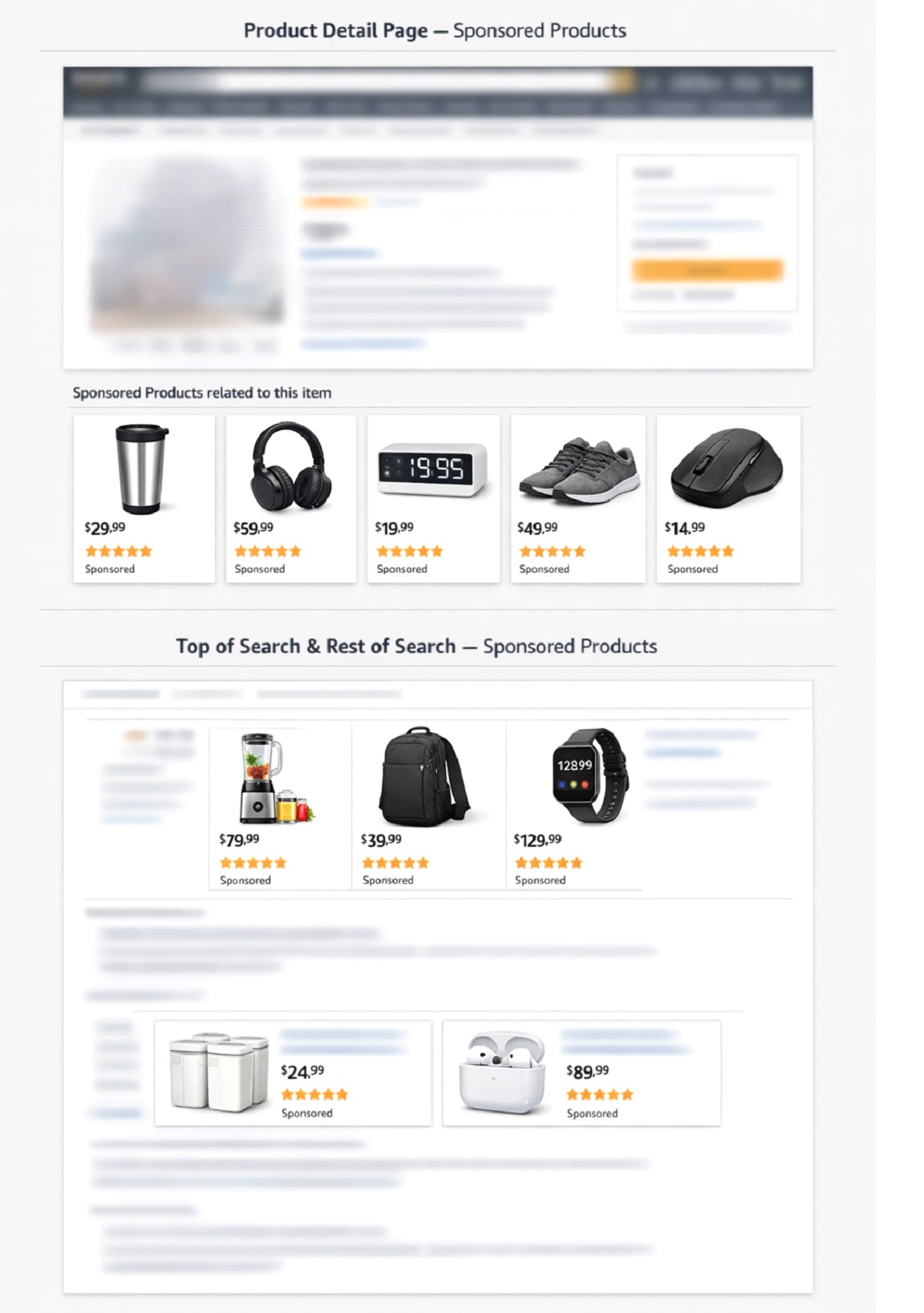
Ads can serve across supported desktop and mobile experiences.
The exact placement is not something a seller buys outright. Ad delivery depends on eligibility, relevance, bids, budget, and auction conditions.
That distinction matters when troubleshooting. Low impressions do not automatically mean the bid is too low. The product, targeting, campaign settings, and offer eligibility may also be limiting delivery.
Who Is Eligible to Use Sponsored Products?
Amazon lists Sponsored Products as available to professional sellers, vendors, authors, and other eligible advertisers.
For seller listings, Amazon Ads requires the product to meet Sponsored Products eligibility requirements and be eligible for the Featured Offer, commonly known as the Buy Box.
Note: Amazon updated its Featured Offer eligibility requirements in July 2026. For more details, see our article on the Amazon Featured Offer eligibility update.
Amazon also states that a Sponsored Products ad receives no impressions when the advertised SKU does not hold the Featured Offer, even when the campaign appears to be active.
Before optimizing bids, check the retail basics:
- Is the product in stock?
- Is the price competitive?
- Is the detail page ready to convert?
- Is the advertised offer eligible to serve?
- Is the campaign actually delivering impressions?
A campaign cannot bid its way out of every retail problem.
How Do Amazon Sponsored Products Work?
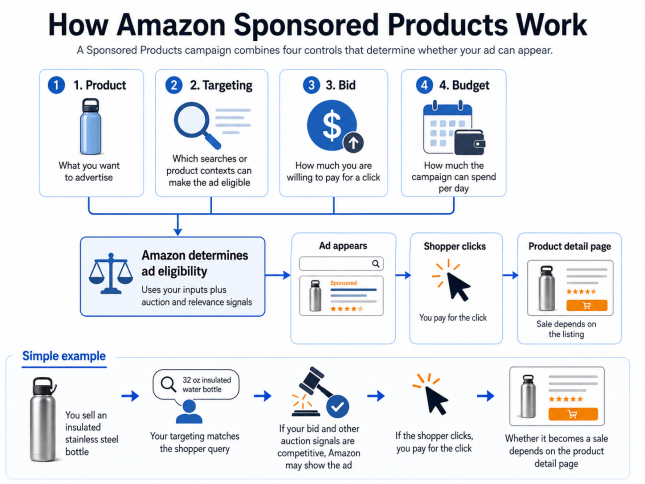
A Sponsored Products campaign combines four controls:
- Product: What you want to advertise
- Targeting: Which searches or product contexts can make the ad eligible
- Bid: How much you are willing to pay for a click
- Budget: How much the campaign can spend per day
Amazon uses these inputs along with auction and relevance signals to determine whether an ad can appear.
Here is a simple example:
You sell an insulated stainless steel bottle. A shopper searches for “32 oz insulated water bottle.” Your targeting makes the campaign eligible for that query. If the bid and other auction signals are competitive, Amazon may show the ad.
If the shopper clicks, you pay for the click. Whether the click becomes a sale depends largely on what happens next on the product detail page.
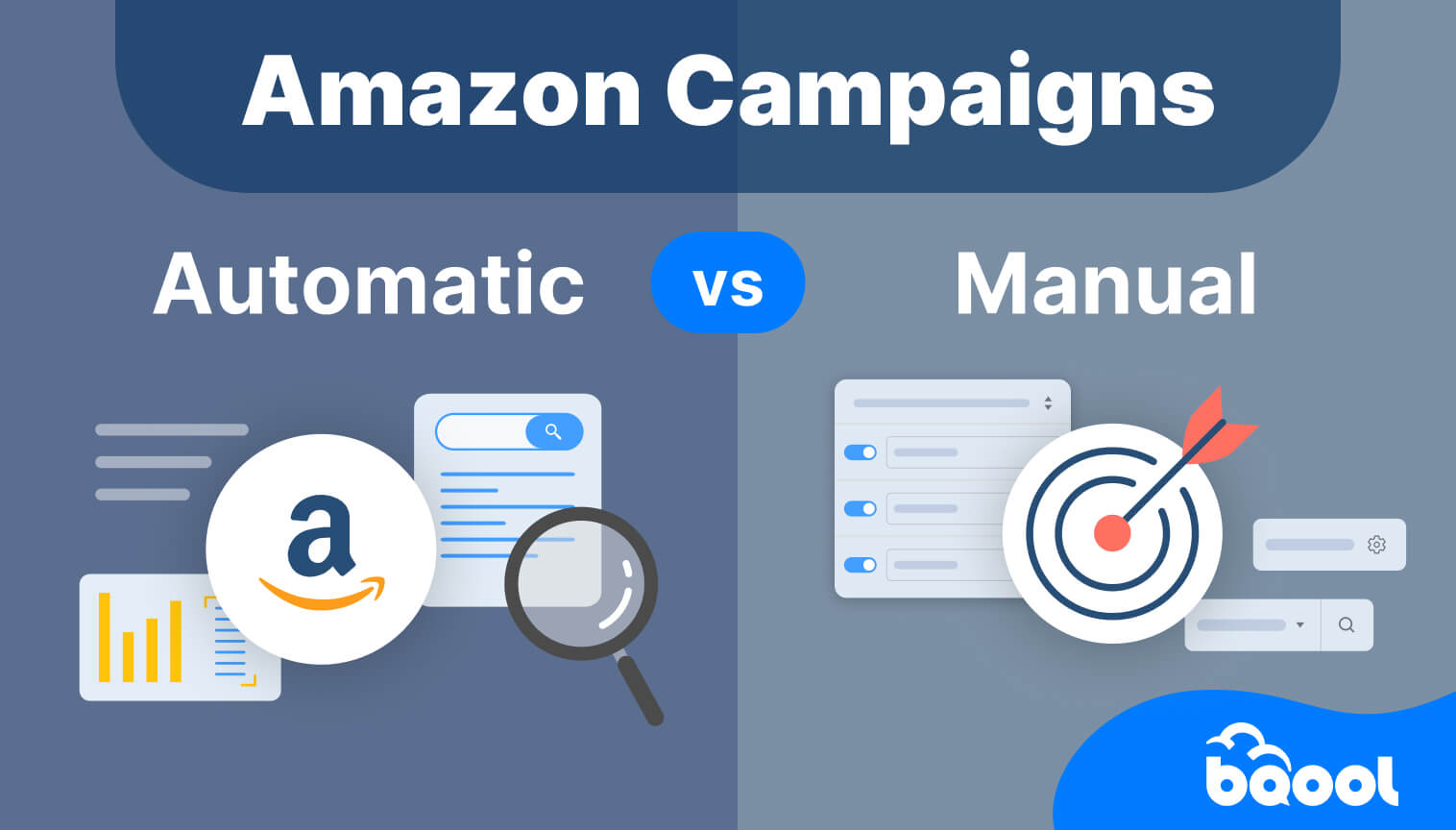
Automatic vs. Manual Targeting
Sponsored Products has two main targeting methods: automatic and manual.
Automatic Targeting Discovers Opportunities
With automatic targeting, Amazon matches ads with relevant shopper queries and products based on the advertised product and shopping signals.
Amazon provides four automatic targeting groups:
- Close match
- Loose match
- Substitutes
- Complements
This makes automatic targeting useful for discovery. It can surface search terms and product contexts that you may not have chosen yourself.
Manual Targeting Gives You More Control
With manual targeting, you choose the targets.
Manual campaigns can use:
- Keyword targeting
- Product or ASIN targeting
- Category targeting
You can also manage bids at a more specific target level.
The practical difference is not that one method is “good” and the other is “bad.” They solve different jobs.
Use automatic targeting to discover. Use manual targeting when you want more deliberate control over known keywords, ASINs, or categories.
For a deeper decision framework, see our Amazon Automatic vs. Manual Campaigns guide.
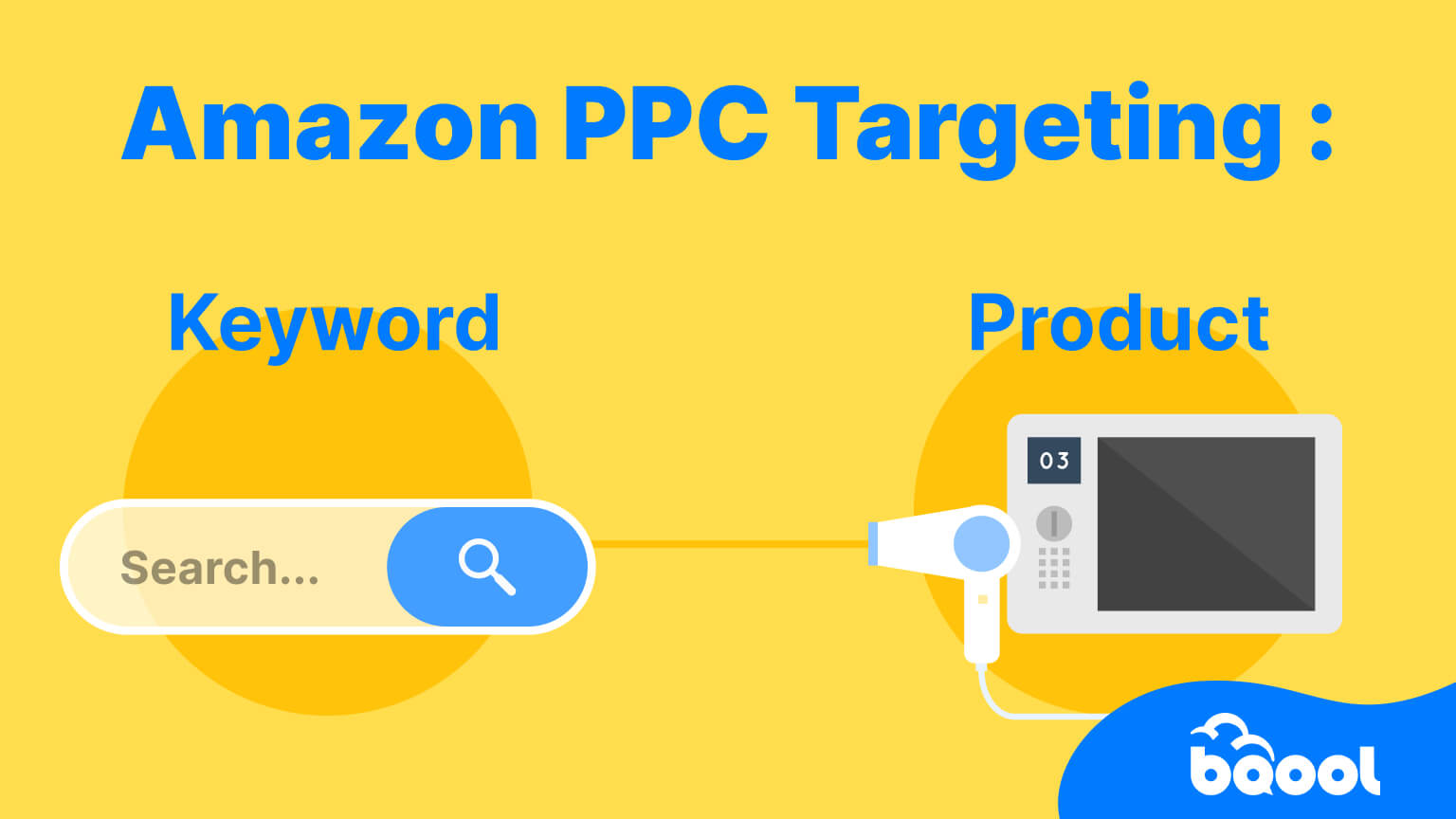
Keyword vs. Product Targeting
Manual Sponsored Products campaigns can target shoppers in two different ways.
Keyword Targeting Follows Search Intent
Keyword targeting connects your ad with shopper search terms.
Amazon supports broad, phrase, and exact match. Match type controls how closely the shopper’s search needs to relate to your keyword.
A keyword campaign works well when you know how shoppers describe the problem or product they want.
Product Targeting Follows Product Context
Product targeting lets you target specific ASINs or categories.
This is useful when you want to appear around:
- Similar products
- Competing products
- Complementary products
- Selected product categories
For a deeper explanation of keywords, ASINs, categories, and match types, see our Amazon PPC Targeting: Keyword vs. Product Targeting guide.
How Much Do Amazon Sponsored Products Cost?
Your total Sponsored Products ad spend depends on two things:
Ad Spend = Cost per Click (CPC) × Number of Clicks
For example, if your average CPC is $1.00 and your ads receive 100 clicks, your total ad spend would be about $100.
There is no single standard CPC for Amazon Sponsored Products. The amount you pay per click can vary based on factors such as:Product category
- Keyword or product-target competition
- Bid level
- Placement
- Seasonality
- Marketplace
- Auction conditions
Your bid and CPC are also not the same thing.
Bid is the maximum amount you are willing to bid for a click.
CPC is the actual amount you pay when a shopper clicks your ad.
Because CPC varies, there is also no single “right” Sponsored Products budget for every seller.
A more useful question is:
“What CPC can this product afford while still meeting its ACoS or profit goal?”
A simple planning model is:
Break-even CPC ≈ Conversion Rate × Profit Available Before Ad Spend
For example, if a product can support $10 in profit before advertising and converts 10% of ad clicks, a rough break-even CPC would be $1.00.
This is an illustrative planning model, not an Amazon formula. Actual performance can vary.
For a deeper explanation of CPC, bids, bidding strategies, placements, and daily budgets, see our Amazon PPC Bidding guide.
How to Launch a Sponsored Products Campaign
Amazon’s setup flow is straightforward, but each step affects the quality of the data you collect later.
1. Choose Products That Are Ready for Paid Traffic
Start with products that are:
- In stock
- Competitively priced
- Supported by a strong detail page
- Eligible to serve Sponsored Products ads
If a listing has weak conversion, adding more clicks can increase spend faster than sales.
2. Set a Campaign Goal
Decide what the campaign is supposed to accomplish.
Common goals include:
- Launch a new product
- Increase sales for an established ASIN
- Discover new search terms
- Reach shoppers browsing competing or related products
- Grow volume within an ACoS goal
The goal gives context to every later optimization decision.
3. Choose Automatic or Manual Targeting
Use automatic targeting when discovery is the priority.
Use manual targeting when you already know which keywords or products you want to control directly.
Many accounts benefit from using both, but keep the purpose of each campaign clear.
4. Set Bids
A bid influences how competitively a target can enter the auction.
Do not assume that raising the bid is always the correct response to low traffic. Check relevance and product readiness first.
5. Set the Daily Budget
The budget controls campaign spending capacity. It is different from the bid.
Bid = How much you are willing to pay for a click
Budget = How much the campaign can spend
A campaign can have sensible bids but still stop serving if its budget is exhausted. It can also have a large budget and still generate little traffic if the targeting or bids are not competitive.
6. Launch and Collect Enough Data to Learn
Avoid overreacting to the first few clicks.
The early job is to collect enough data to answer:
- Which queries are generating traffic?
- Which targets generate sales?
- Which targets spend without converting?
- Is the campaign limited by bids, budget, or conversion?
- Is performance aligned with the campaign’s ACoS goal?
Amazon Sponsored Products Management Starts After Launch
Campaign setup is only the beginning.
Sponsored Products management is the ongoing process of deciding where to increase control, where to reduce waste, and where to give the campaign more room to grow.
A practical weekly workflow looks like this:
1. Check Product and Delivery Health First
Before changing advertising settings, make sure the product is still:
- In stock
- Competitively priced
- Eligible to serve ads
- Supported by a healthy detail page
A retail problem can look like a PPC problem in the campaign report.
2. Review Search Terms, Not Just Keywords
A keyword is a target you choose.
A search term is what the shopper actually typed.
Search terms show how Amazon is translating your targeting into real traffic.
Look for:
- Search terms that convert repeatedly
- Queries that spend without producing sales
- New long-tail terms worth testing
- Irrelevant traffic that should be excluded
For a deeper workflow, see our Amazon Search Term Report guide.
3. Move Proven Targets Into More Controlled Structures
Automatic or broader campaigns can help discover demand.
When a search term or product target proves useful, moving it into a manual structure can give you clearer control over bid and match type.
This is often called harvesting.
4. Add Negative Targets Where the Evidence Supports It
Negative targeting can stop ads from matching unwanted keywords, products, or brands.
Do not negate too quickly. A target with one click and no order is not automatically a bad target.
Use enough data to distinguish random variation from a persistent performance problem.
For a deeper explanation, see our Amazon Negative Keywords guide.
5. Adjust Bids Around the Campaign Goal
A target that converts efficiently may have room for a higher bid.
A target that consumes spend without supporting the ACoS goal may need a lower bid.
The decision should be based on performance and product economics, not on a universal bid rule.
6. Watch Budget Pacing
A budget that runs out early can limit traffic later in the day.
Before increasing budget, check whether the campaign is spending efficiently.
More budget scales both good and bad traffic.
7. Measure ACoS in Context
ACoS shows ad spend divided by attributed ad sales.
It is useful, but it is not the whole business.
A launch campaign may accept a higher ACoS to collect demand and sales history. A mature, margin-sensitive product may need stricter efficiency.
The target should come from the role of the campaign and the economics of the product.
For more detail, see our Amazon ACoS guide.
A Simple Sponsored Products Optimization Framework
When performance changes, diagnose the problem before touching every setting.
| What You See | Check First | Possible Next Action |
|---|---|---|
| Very low impressions | Eligibility, targeting relevance, bids | Fix eligibility/relevance, then evaluate bid |
| Clicks but no sales | Search-term relevance and listing conversion | Refine targets, negatives, listing, or offer |
| Good sales but high ACoS | CPC, bids, conversion, target quality | Lower inefficient bids or remove poor traffic |
| Campaign runs out of budget | Search-term quality and ACoS | Cut waste before increasing budget |
| Automatic campaign finds winners | Search term / ASIN performance | Move proven targets into manual campaigns |
| Manual campaign stops growing | Search coverage and bids | Expand targets or test controlled bid increases |
This keeps optimization tied to cause and effect.
It also prevents a common mistake: using the bid as the answer to every problem.
For a complete workflow, see our Amazon PPC Optimization guide.
When Does Sponsored Products Automation Make Sense?
Manual campaign management becomes heavier as the account grows.
One product may only have a few targets. A larger catalog can create hundreds or thousands of keyword, ASIN, bid, and negative-target decisions.
Automation is most useful when the decision logic is repetitive and the goal is already clear.
Examples include:
- Adjusting bids toward an ACoS goal
- Reviewing performance across many targets
- Moving proven search terms into more controlled targeting
- Adding negative keyword or product targets based on performance
- Repeating these decisions across many ad groups
BQool Advertising is designed around these workflows.
AI-Bidding can automate bid adjustments toward an ACoS goal. BQool’s AI-Bidding also considers performance patterns by day of week and time of day when adjusting bids.
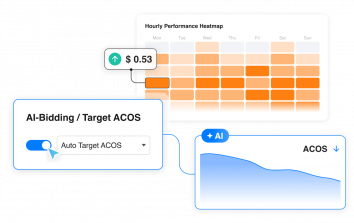
AI-Harvesting can help identify and add useful keyword or product targets while also adding negative keyword or product targets based on performance.
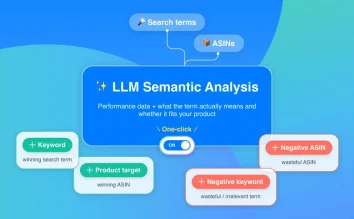
Automation should not be treated as permission to ignore the account. Sellers still need to set business goals, maintain healthy listings and inventory, and review whether the campaign strategy makes sense.
Common Sponsored Products Mistakes
Treating Bids as the Only Optimization Lever
A higher bid can increase auction competitiveness.
It cannot fix irrelevant targeting or a weak detail page.
Mixing Discovery and Control Without a Plan
Automatic and broad targeting are useful for discovery.
Proven terms often deserve a clearer manual structure.
Negating Search Terms Too Early
Removing traffic after too little data can cut off terms that simply have not had enough opportunity to convert.
Increasing Budget Before Removing Waste
If a campaign is already inefficient, a larger budget can amplify the inefficiency.
Optimizing for ACoS Without Considering Margin
The same ACoS can be profitable for one product and unprofitable for another.
Letting Campaign Structure Become Too Fragmented
More campaigns do not automatically create more control.
Structure should make decisions easier, not create extra maintenance with no clear purpose.
Key Takeaway
Amazon Sponsored Products are easy to launch because the format is simple: choose a product, choose targeting, set bids and budget, and send shoppers directly to the product detail page.
The real work begins after launch.
Good Sponsored Products management connects search-term relevance, targeting, bids, budget, conversion, and ACoS.
Start broad enough to learn, move proven opportunities into more controlled structures, cut genuinely inefficient traffic, and automate repetitive decisions when the account becomes too large to manage consistently by hand.
Explore Other Types of Amazon Sponsored Ads
Sponsored Products are only one part of Amazon’s advertising ecosystem.
Amazon also offers Sponsored Brands and Sponsored Display, and each ad type supports a different goal—from driving sales for individual products to building brand awareness and reaching shoppers across more stages of the buying journey.
If you’re not sure how they differ or which format fits your campaign goals, read our guide to the different types of Amazon Ads for a side-by-side look at Sponsored Products, Sponsored Brands, and Sponsored Display.
Frequently Asked Questions
What Are Sponsored Products on Amazon?
Sponsored Products are cost-per-click ads for individual Amazon product listings. They can appear in shopping results and on product detail pages.
How Do Amazon Sponsored Product Ads Work?
You select products, targeting, bids, and a daily budget. Amazon determines when the ad is eligible to enter an auction. You pay when a shopper clicks the ad.
How Much Do Amazon Sponsored Products Cost?
There is no single standard CPC. Sponsored Products use cost-per-click pricing, and actual CPC varies by auction competition, targeting, bids, placement, category, and marketplace.
What Is the Difference Between Automatic and Manual Sponsored Products Campaigns?
Automatic targeting lets Amazon match the ad with relevant searches and products. Manual targeting lets the advertiser choose specific keywords, ASINs, or categories.
How Should I Manage Sponsored Products After Launch?
Review search terms, target performance, bids, negative targets, budget pacing, conversion, and ACoS.
Make changes based on patterns rather than isolated clicks.
Can Amazon Sponsored Products Management Be Automated?
Parts of the workflow can be automated with PPC software like BQool Advertising, including bid optimization and search-term harvesting.
Sellers should still define campaign goals and monitor product, inventory, and profitability.