 Black Friday is Nov 27 and Cyber Monday is Nov 30. Shoppers spend more and click faster, and your ad costs rise with them. Sellers who raise budgets without a plan often pay more for the same sales and finish the weekend with thinner margins.This guide gives you a simple Amazon BFCM PPC strategy you can start today. It’s the ad-focused part of our full Amazon BFCM seller guide, which also covers stock, listings, and promotions.It covers which products deserve more budget, how to set a bid ceiling that protects profit, and what to check throughout the Cyber Five.
Table of Contents
Amazon BFCM PPC Strategy
Your Amazon BFCM PPC plan works best in four phases. Each phase has one job.
| Phase | Dates | Your job |
|---|---|---|
| Structure | Now to Nov 18 | Choose your products, set bid ceilings, and clean up campaigns |
| Ramp-up | Nov 19 to 25 | Raise budgets in steps and add seasonal keywords |
| Cyber Five | Nov 26 to 30 | Watch pacing and protect your winners |
| Step down | Dec 1 onward | Lower budgets slowly and review results |
The rest of this guide follows this order. For the prep work outside of ads, such as inventory and listings, see the full BFCM guide.
Keywords and Targeting to Set Up Now
You can’t build keyword history on Black Friday morning. Do these four things before November 19.
- Harvest and promote
Move converting search terms into exact match so they have a normal-week track record before the sale. Our guide to finding keywords for Amazon PPC shows how.
- Add gift and seasonal terms
Consider adding gift and seasonal terms (for example, “gifts for dad”) to your campaigns. Don’t forget to keep your negative keywords conservative. Only add a negative if the search is clearly wrong for your product, and don’t add one just because it had no sales earlier in the year.
To learn how to pick them, see how to find negative keywords for Amazon ads before you add any.
- Defend your brand terms
Run Sponsored Brands and Sponsored Products on your own brand name so a competitor doesn’t take that traffic.
- Retarget
Use Display Ads (previously Sponsored Display) and views remarketing to reach shoppers who viewed your listing, added to cart, but didn’t buy.
Pick the ASINs That Deserve Extra Budget
Extra budget on the wrong product is the fastest way to lose money in November. Decide where the money goes before you change any bids.
Rank ASINs by profit, not only sales
A top seller with a thin margin can lose money once ads and discounts come off the price. Sort your products into three tiers.
| Tier | What it looks like | What to do |
|---|---|---|
| 1. Heroes | Strong sales and conversion, rating of 4 stars or higher, stock to cover the whole event | Raise budget and bids |
| 2. Maintain | Steady sellers | Keep budget as it is |
| 3. Hold | Low margin, thin inventory, or a rating under 3.5 | Don’t add budget |
BQool’s Prime Day guide uses the same screens, and they work for BFCM too.
Do the margin math before you raise a bid
Every dollar you discount comes out of your profit, so your bid ceiling has to drop with it. Start with your break-even ACoS, which is profit before ads divided by price. If you want a refresher, see our guide to what a good ACoS on Amazon is and what a good ROAS is.
Here is an example. A product sells for $50 and costs $30 to make, ship, and fulfill, so you earn $20 before ads. Then you run a 20% BFCM discount.
| Regular price | 20% BFCM discount | |
|---|---|---|
| Price | $50 | $40 |
| Profit before ads | $20 | $10 |
| Break-even ACoS | 40% | 25% |
| Break-even CPC at a 10% conversion rate | $2.00 | $1.00 |
The break-even CPC formula is price × conversion rate × break-even ACoS. At the discount, that is $40 × 10% × 25% = $1.00. If your CPC runs higher than that, you lose profit on each sale. A 20% discount cuts your profit in half and your bid ceiling in half. Reset the ceiling before the sale starts, not after. A discount often lifts conversion, so keep the 10% for now and raise the ceiling only after your own data shows the lift.
BFCM Paid Ads Strategy for Budgets and Bids
A good BFCM paid ads strategy controls two things: how much you can spend and how much you will pay per click.
Set your BFCM Amazon ad budget
Amazon’s baseline advice is to raise budgets by 20 to 30% around Black Friday and Cyber Monday, starting 3 to 5 days ahead. Other sources suggest 2 to 3 times your normal budget, and one report found ad spend rose about 149% during Prime Big Deal Days.
Your BFCM Amazon ad budget should depend on your margins and stock, not on a single number. You can also estimate it from your own history: look at your ad spend and sales during last year’s BFCM or this year’s Prime Day, and use that as your starting point.
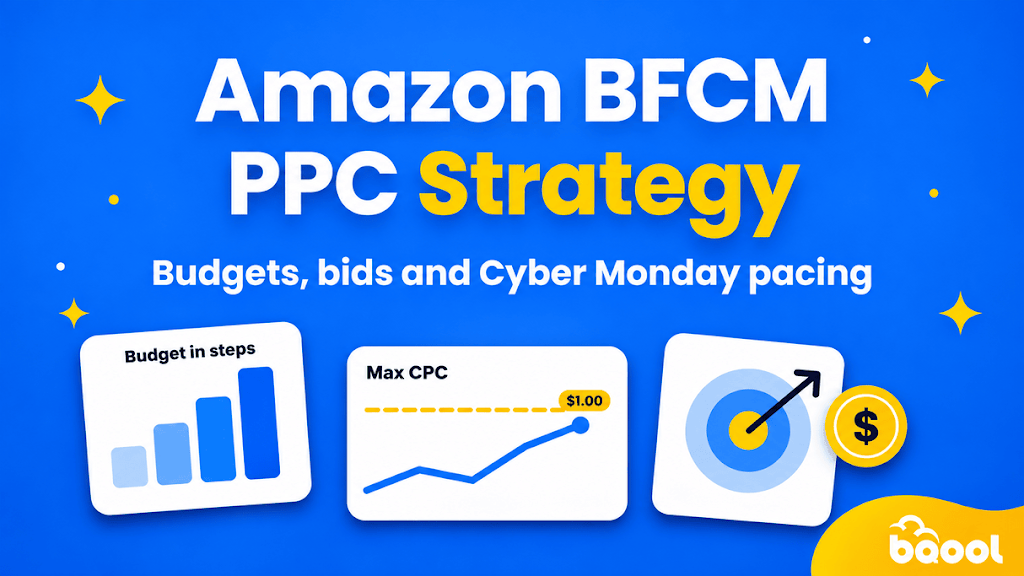
How you raise it matters as much as how much. Raise the budget in steps over the weekend before, not in one jump on Black Friday morning. Steps give the account time to adjust its pacing. A sudden jump can burn budget early and leave you capped when the best shoppers arrive.
A simple ramp looks like this:
- Sat Nov 21 and Sun Nov 22: a small lift on Tier 1 campaigns
- Tue Nov 24: a bigger lift
- Thu Nov 26: your full BFCM budget
Our guide on how much to spend on Amazon advertising can help you set the starting point.
Set bids with a ceiling
Raise bids only on Tier 1 exact-match terms, and stay under your max CPC based on a target ACoS that sits below your break-even. Use dynamic bids and top-of-search placement adjustments for your best terms instead of raising every bid across the account. If a keyword’s live CPC goes above your ceiling, let it go.
Our Amazon bidding strategy guide explains each option, and dayparting lets you spend more in the hours that convert best.
| Ramp-up (Nov 19 to 25) | Cyber Five (Nov 26 to 30) | Step down (Dec 1 onward) | |
|---|---|---|---|
| Budget | Raise in steps | Release budget to winners about to cap | Lower over several days |
| Bids | Raise on Tier 1 exact match only | Stay under your ceiling | Return to normal |
| Keywords | Add gift and seasonal terms | Hold changes | Keep what converted |
BFCM Marketing and the Amazon Ad Types to Run
Good BFCM marketing on Amazon uses each ad type for a different job.
| Ad type | Its job |
|---|---|
| Sponsored Products | Convert shoppers who are ready to buy |
| Sponsored Brands | Defend your brand and show your range |
| Display Ads (previously Sponsored Display) | Retarget shoppers who left |
What your Amazon BFCM ad should show
Your Amazon BFCM advertisement needs to be clear in a second. Show the product, one real deal, and short copy. Follow Amazon’s ad policy and make sure the deal wording matches your listing.
Amazon lists price and product mismatches among the most common reasons ads get blocked, and a blocked ad on Cyber Monday is a costly mistake.
Amazon BFCM PPC Strategy During the Cyber Five
Your PPC strategy during BFCM is mostly about watching, not changing. Shoppers spent the most between 8 and 10 p.m. that day, so keep your budgets alive through the evening.
During the Cyber Five (Thanksgiving through Cyber Monday):
- Check pacing, not just ACoS. Look in the morning, at midday, and in the evening.
- Protect the evening peak. A campaign that runs out of budget at 6 p.m. misses the best hours.
- Release budget to winners that are about to cap. Move it from campaigns that are well under their limit.
- Hold your changes. Don’t restructure campaigns, make large keyword cuts, or run auto-pause rules. Data lags during peak days and can mislead you.
Treat Amazon PPC for Cyber Monday the same way: set it up before the day, then guard it.
After BFCM and How to Step Down and Measure
When the weekend ends, don’t cut budgets overnight. Lower them over several days. Keep retargeting running for one to two weeks, because many BFCM shoppers buy days later.
Then wait before you judge your search terms. Amazon credits sales within 7 days of a click for Sponsored Products and 14 days for Sponsored Brands, so early numbers look worse than they are. After that, review your TACoS and profit per ASIN, and move the terms that converted into your regular campaigns.
How BQool Advertising Can Support Your BFCM Plan
Strategy sets the plan. Execution is the hard part when you are running dozens of campaigns through a long weekend. BQool Advertising helps with the daily work:
- AI-Bidding dynamically adjusts bids using your campaign data to reach your target ACoS, including by time of day.
- Auto Budgeting moves budget across a campaign group to prevent your top campaigns from running out of budget before the evening rush.
- AI-Harvesting adds the search terms that convert as keywords, and adds the ones that spend without converting as negatives, so you don’t have to dig through reports during the busiest week of the year.
You still choose your products, margins, and ceilings. The tools handle the repetitive checks around them.
Amazon BFCM PPC FAQ
When should I start raising my budget for BFCM?
Start 3 to 5 days before Black Friday, in steps. For 2026, that means the weekend of Nov 21 and 22.
Should I run Amazon cyber week ads after Cyber Monday?
Yes, but at a lower level. Many shoppers keep buying in the days after, so keep Amazon cyber week ads and retargeting on while you step budgets down.
What if I run out of budget early?
Move budget from campaigns that are under their limit to your Tier 1 winners, and check pacing three times a day.
Your Next Move Before BFCM
Pick your Tier 1 products this week, set a bid ceiling for each one using your discounted margin, and plan your budget steps for Nov 21 to 26. That gives you a clear Amazon PPC Black Friday 2026 plan before the rush starts. Teams that decide early spend less time reacting and more time selling.